Buy Box Tips: Amazon Buy Box Software, Price & Algorithm Secrets
If you’re selling on Amazon, you already know that the Buy Box is everything. It’s the difference between making sales while you sleep and watching your competitors clean up. But here’s the thing — most sellers still don’t fully understand what drives the amazon buy box formula, how pricing fits in, or what tools can actually help. Let’s break it all down in plain English.
What Is the Buy Box and Why Does It Still Matter in 2026?
The Buy Box is that “Add to Cart” button on an Amazon product page. When a customer clicks it, they’re buying from whoever holds the Box at that moment. Studies consistently show that the overwhelming majority of Amazon purchases go through the Buy Box — some estimates put it above 80%. So if you’re not in rotation, you’re basically invisible.
What makes it tricky is that Amazon doesn’t just hand it to the lowest-priced seller. The buy box suppression phenomenon is real — Amazon can actually remove the Buy Box entirely from a listing if it thinks prices are too high, or if seller metrics fall below a certain threshold. This catches a lot of sellers off guard.
How the Buy Box Algorithm Actually Works
The buy box algorithm is Amazon’s behind-the-scenes engine that decides which seller gets featured at any given moment. It weighs a combination of factors simultaneously — not just price.
- Fulfillment method (FBA tends to get a boost)
- Seller feedback score and volume
- Order defect rate and late shipment rate
- Delivery speed and availability
- Price competitiveness (landed price including shipping)
- Account health and customer satisfaction metrics
One of the biggest shifts in 2025 and continuing into 2026 is that Amazon’s buy box algorithm has been putting more weight on delivery speed than ever before. That means FBM sellers who can’t guarantee fast shipping are at a real disadvantage, even if their prices are competitive. Speed now rivals price as a ranking signal — which is a significant change from how most sellers have historically approached their strategy.
| Factor | FBA Sellers | FBM Sellers |
|---|---|---|
| Delivery Speed Advantage | High (Prime eligible) | Varies (seller dependent) |
| Price Flexibility | Moderate | High |
| Buy Box Eligibility | Strong baseline | Requires strong metrics |
| Algorithm Favorability in 2026 | Generally higher | Possible with fast shipping |
Understanding Amazon Buy Box Price and How to Use It Strategically
Price is still a huge piece of the puzzle, but it’s not as simple as “go lowest and win.” Amazon looks at the landed price — meaning your item price plus shipping cost. So sometimes bumping your product price down while increasing shipping doesn’t work the way sellers expect.
To truly win buy box amazon, your pricing needs to sit within a competitive range relative to other offers on the same listing. Amazon’s algorithm gives Buy Box credit to sellers who are price-competitive without necessarily being the absolute cheapest. Your amazon buy box price strategy should aim for that sweet spot — not racing to the bottom, but not sitting comfortably above the competition either.
FAQ: Common Buy Box Questions Answered
Can I win the Buy Box with FBM?
Yes, but it’s harder. FBM sellers need to demonstrate fast, reliable shipping and maintain excellent seller metrics. In 2026, with Amazon leaning harder into delivery speed as a ranking factor, FBM sellers need to be especially sharp about their fulfillment timelines.
What causes buy box suppression?
Amazon triggers buy box suppression when it believes the listed price is too high compared to the item’s historical price or competing offers. It can also happen if your seller health metrics dip below acceptable thresholds. Regular monitoring is essential.
Does the Buy Box rotate between sellers?
Yes. When multiple sellers are eligible and competitive, Amazon distributes Buy Box time among them based on their relative performance scores. You won’t always hold it 100% of the time, and that’s normal.
Amazon Buy Box Software: Why Manual Repricing Just Doesn’t Cut It Anymore
How to Diagnose Buy Box Loss: A Step-by-Step Troubleshooting Guide
Losing the Buy Box can feel like a mystery, especially when your metrics look solid. But there’s a systematic way to figure out what went wrong. Here’s the diagnostic checklist sellers should follow when Buy Box eligibility or rotation suddenly drops.
Start With Your Business Reports
First, navigate to Reports → Business Reports → Detail Page Sales and Traffic by Child Item in Seller Central. Look for the column labeled “Featured Offer (Buy Box) Percentage.” Set your date range to 30 days, not 7 — shorter periods create too much noise from normal fluctuations. This percentage tells you how often you held the Buy Box when customers actually viewed your listing. It’s session-weighted, not time-weighted, which means holding the box all night when nobody’s shopping counts for less than holding it during peak Sunday evening traffic.
If you’re a private label seller and the sole offer on a listing, you should see 95-100%. Anything below 95% typically indicates stockouts or eligibility issues. For wholesale or arbitrage sellers competing against multiple offers, 60-80% is a strong result. If your percentage has dropped significantly, move to the next diagnostic step.
Check Account Health and Performance Metrics
Head to your Account Health dashboard and review these critical thresholds:
- Order Defect Rate (ODR): Above 1% puts you at risk
- Late Shipment Rate (LSR): Above 4% triggers flags, especially for FBM sellers
- Valid Tracking Rate (VTR): Below 95% for merchant-fulfilled orders hurts eligibility
- Any policy violations or warnings that might have appeared recently
Even small dips in these metrics can knock you out of Buy Box rotation temporarily. Amazon doesn’t always send notifications when this happens, so regular monitoring is essential.
Review Inventory and Pricing Warnings
Check your Inventory page for listing quality warnings. Amazon sometimes flags products where it has found lower prices on external retail sites through its price scraping. This external price comparison can suppress your Buy Box even when you’re competitive against other Amazon sellers. Also confirm your stock levels — running low or going out of stock immediately removes Buy Box eligibility until you restock.
Look at your total landed price (item price plus shipping cost) compared to competitors. If you recently switched from FBA to FBM or adjusted your shipping fees, your total cost to the customer might now be higher than you realize.
When It’s Not Your Fault
Here’s something most sellers don’t know: sometimes Buy Box loss is a technical glitch on Amazon’s end, not a performance issue. There have been documented cases where sellers with perfect metrics — 1,000 IPI scores, FBA fulfillment, excellent feedback — suddenly lost Buy Box eligibility across all offers due to platform errors. If you’ve checked everything and your metrics are pristine, escalate to Seller Support. It might not be you.
Understanding Your Buy Box Percentage and What the Numbers Really Mean
The Buy Box Percentage metric is calculated as: (Number of times you owned the Buy Box when customers viewed the listing ÷ Total number of page visits) × 100. But understanding what that number means for your business requires context.
Amazon shows you two separate values in Seller Central: a 2-day percentage and a 30-day percentage. The 30-day view is more reliable for spotting trends because it smooths out daily volatility. A sudden drop in your 2-day percentage might just mean a competitor ran an aggressive promotion over the weekend. A sustained drop in your 30-day percentage signals a real problem.
Being eligible for the Buy Box and actually winning it are two different things. Eligibility means Amazon allows you to compete. Your win rate is how often you actually take the rotation once you’re in the pool. If you’re eligible but your percentage is low, your pricing strategy or fulfillment speed likely needs adjustment.
Calculating Your Profit Floor for Buy Box Competition
One of the biggest mistakes sellers make is repricing without knowing their absolute minimum profitable price. Here’s the formula to calculate your profit floor specifically for Buy Box scenarios:
Minimum price = (Landed cost + FBA fee) ÷ (1 − referral fee rate − target margin rate)
Let’s work through a concrete example. Say you have a product with a landed cost of $16.00, an FBA fee of $5.21, a referral fee rate of 15%, and you want to maintain a 20% profit margin. Your calculation would be:
($16.00 + $5.21) ÷ (1 − 0.15 − 0.20) = $21.21 ÷ 0.65 = $32.63
This means $32.63 is your absolute floor. Any repricing software you use should be configured to never drop below this number, even if competitors go lower. Chasing the Buy Box below your profit floor means you’re paying for the privilege of losing money on every sale.
Why This Matters More in 2026
With Amazon’s algorithm now weighing delivery speed more heavily, FBA sellers have a built-in advantage — but that advantage comes with higher fees. FBA fulfillment fees changed again in January 2026, ranging from $3.65 to over $7.00 per standard-size unit depending on weight and dimensions. Monthly storage fees run $0.87 per cubic foot from January through September, jumping to $2.40 per cubic foot during the October-December peak season.
These fee changes mean you need to recalculate your profit floor at least annually, and more often if you’re in categories with frequent fee adjustments. The competitive window for Buy Box eligibility is typically within 5% of the lowest qualified offer. On a $30 product, that’s only a $1.50 range. Price yourself at $32 when the low offer is $29.50, and you’re mathematically out of contention — no matter how good your metrics are.
Your repricing strategy needs to balance staying within that competitive window while respecting your profit floor. That’s why rule-based or AI-driven repricing tools have become essential infrastructure rather than optional upgrades. The math is too tight and the market moves too fast for manual adjustments to keep pace.
Here’s the honest truth — manually adjusting prices across dozens or hundreds of listings is a losing game. The market moves too fast. Competitors reprice constantly, sometimes multiple times per hour, and trying to keep up by hand means you’re always reacting instead of strategizing.
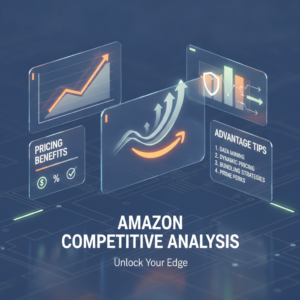
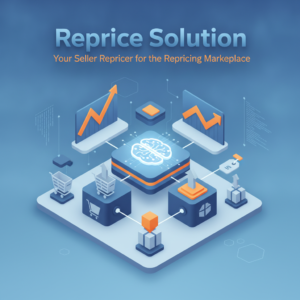
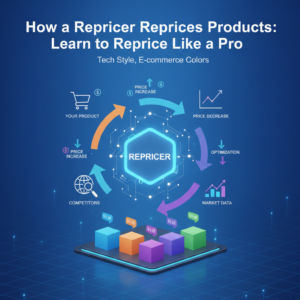
This is where amazon buy box software changes everything. Good repricing software monitors your competitors in real time, tracks Buy Box status across your catalog, and adjusts your prices automatically based on rules or AI-driven logic — all while keeping you within your profit margins.
| Repricing Approach | Speed | Accuracy | Scalability |
|---|---|---|---|
| Manual Repricing | Slow | Inconsistent | Poor |
| Rule-Based Software | Fast | Good | Strong |
| AI-Driven Repricing Tool | Real-time | Excellent | Excellent |
The amazon buy box formula rewards sellers who stay consistently competitive — and software is the only realistic way to do that at scale without burning out or leaving money on the table.
What to Look for in a Repricing Tool
Not all repricing software is built the same. When you’re evaluating options, look for tools that offer profit guardrails so you never reprice below your margin floor, real-time competitor monitoring, Buy Box status tracking, and support for both FBA and FBM setups. Strategy customization matters too — cookie-cutter rules won’t serve every seller in every category the same way.
If you’re serious about learning how to win buy box amazon consistently, the right software isn’t just a nice-to-have. It’s a core part of your business infrastructure in 2026.
Ready to Take Your Buy Box Strategy to the Next Level?
Zupricer is built specifically for Amazon sellers who want to win the Buy Box without giving away their margins. It combines Buy Box intelligence, profit guardrails, and a scenario-based strategy engine to automate repricing across your full catalog — in real time. Whether you’re FBA or FBM, Zupricer adapts to your setup and keeps you competitive around the clock. It’s rated 4.9/5 on both Trustpilot and Capterra, and you can try it free for 14 days with no credit card required. Head over to app.zupricer.com/signup and start winning the Buy Box smarter, not harder.