Automated Pricing with Competitor Pricing Tools and Competitive Price Monitor
Running a successful online store in 2026 means staying sharp on pricing — every single day. Whether you are selling on Amazon or across multiple platforms, the difference between winning and losing a sale often comes down to a few cents. That is where automated pricing steps in to save the day. Instead of manually refreshing competitor pages and tweaking prices one by one, automation handles it all in the background while you focus on growing your business.
This is not just a trend — it is quickly becoming a necessity for sellers who want to stay competitive without burning out. Let us break down how these tools work, why they matter, and how you can use them to your advantage right now.
How Automated Pricing, Competitor Pricing Tools, and Competitive Price Monitor Work Together
What Is Automated Pricing and Why Does It Matter in 2026
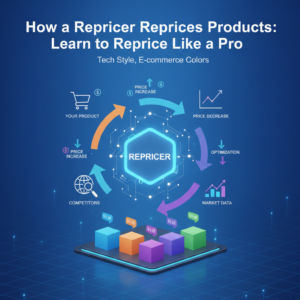
Automated pricing is essentially a system that adjusts your product prices in real time based on rules, market data, and competitor behavior — without you having to lift a finger. Think of it like a smart assistant that never sleeps. It watches the market, reads the signals, and moves your prices up or down to keep you competitive and profitable.
In the Amazon ecosystem specifically, this becomes critical when you are fighting for the Buy Box. The Buy Box is that golden spot on a product listing that drives the majority of sales. Winning it consistently requires precise, fast pricing decisions — exactly what automated systems are designed to deliver. Platforms like Zupricer combine Buy Box intelligence with profit guardrails so you never accidentally price yourself into a loss just to win a click.
| Pricing Method | Speed | Accuracy | Scalability | Profit Protection |
|---|---|---|---|---|
| Manual Pricing | Slow | Low | Very Limited | Depends on Seller |
| Rule-Based Automation | Fast | Medium | Good | Moderate |
| AI-Driven Automated Pricing | Real-Time | High | Excellent | Strong |
Understanding Competitor Pricing Tools for Smarter Decisions
A competitor pricing tool gives you visibility into what your rivals are charging across the marketplace. Instead of guessing or manually checking product pages one by one, these tools pull live pricing data and present it in a way that actually makes sense for your strategy.
With the right competitor pricing tools, you can identify patterns — like when competitors tend to drop prices, which products are highly contested, and where there is room to hold a higher margin. This intelligence is gold. It allows you to make proactive decisions rather than reactive ones, which is a huge shift in mindset for most sellers.
What makes these tools even more powerful is their integration with repricing engines. When competitor data flows directly into your pricing system, adjustments happen automatically based on what rivals are doing in real time. No delay, no guesswork.
Key Features to Look for in a Competitor Pricing Tool
- Real-time data syncing across multiple marketplaces
- Historical pricing trends and competitor behavior tracking
- Custom alert systems including amazon price alert notifications
- Integration with your existing repricing or inventory software
- Clear dashboards that surface actionable insights fast
The Role of a Competitive Price Monitor in Your Daily Operations
A competitive price monitor is your eyes on the market — constantly watching, never blinking. It tracks price changes from competitors across your catalog and flags anything that could impact your performance. This is especially useful on Amazon, where prices can shift dozens of times a day on popular products.
Modern price monitoring software goes beyond just collecting numbers. It analyzes market conditions, Buy Box status changes, and even shipping cost variations to give you a full picture of the competitive landscape. Zupricer, for example, continuously monitors these signals and adjusts prices automatically — meaning your catalog stays optimized around the clock without manual intervention.
| Monitoring Feature | Benefit | Impact on Sales |
|---|---|---|
| Real-Time Competitor Price Tracking | Instant awareness of market shifts | Higher Buy Box win rate |
| Buy Box Status Monitoring | Know when you win or lose instantly | Faster recovery and repricing |
| Amazon Price Alert | Notified of significant price drops | Prevents underselling or overselling |
| Profit Guardrails | Stops prices from going below floor | Sustained profitability |
Who Benefits Most from Price Monitoring Software
Any seller managing more than a handful of SKUs will feel the benefit almost immediately. But the sellers who see the biggest gains are those with large catalogs, thin margins, or products in highly competitive categories. For FBA and FBM sellers alike, having price monitoring software running in the background removes one of the most time-consuming parts of the job entirely.
FBA vs FBM — Does Monitoring Matter Equally
Yes, both FBA and FBM sellers need competitive monitoring, but the dynamics differ slightly. FBA sellers often have a Buy Box advantage built in, so their repricing strategies can be more aggressive. FBM sellers, on the other hand, need to factor in shipping time and cost when comparing against FBA competitors. A smart monitoring system accounts for these nuances automatically.
Getting the Most Out of Amazon Price Alert Notifications
Setting up an amazon price alert is one of the simplest ways to stay on top of sudden market changes. When a competitor slashes their price, you want to know immediately — not three hours later. These alerts can trigger automated responses within your repricing system, so the reaction happens faster than any human could manage manually.
The real power of alerts is not just knowing what happened, but having a system in place to respond instantly. That combination of real-time notification and automated action is what separates thriving sellers from those constantly playing catch-up.
FAQ: Common Questions About Automated Pricing Tools
-
Is automated pricing safe for my profit margins?
Absolutely — as long as you set proper floor and ceiling prices within your repricing tool. Quality platforms like Zupricer include built-in profit guardrails that prevent your prices from dipping below a level that would eat into your margins.
-
How often does a competitive price monitor update?
Top-tier tools update in real time or near-real time, meaning you are always working with current market data rather than outdated snapshots.
-
Do I need technical skills to use competitor pricing tools?
Not at all. Most modern tools are built with user-friendly dashboards that make setup and management straightforward, even for sellers who are not tech-savvy.
-
Can these tools work across both FBA and FBM accounts?
Yes, solutions like Zupricer are specifically designed to support both FBA and FBM sellers with strategies tailored to each fulfillment model.
Building a Pricing Strategy That Actually Scales
Having individual tools is great, but the real magic happens when automated pricing, competitor monitoring, and price alerts all work together as one unified system. That is when you stop reacting to the market and start anticipating it. You can set scenario-based strategies — for example, pricing more aggressively during peak traffic hours or pulling back during low-competition windows to protect margin.
Zupricer is built with exactly this kind of strategic depth in mind. It is not just a repricer — it is a full pricing intelligence platform that combines Buy Box data, competitor signals, and your own profitability rules into one seamless engine. With a 4.9/5 rating on both Trustpilot and Capterra, it is clearly working well for the sellers using it in 2026.
If you are ready to stop guessing and start winning more Buy Box positions without sacrificing profit, Zupricer is worth a serious look. Try it free for 14 days — no credit card needed. Head over to app.zupricer.com/signup and see what smarter pricing can do for your business today.
Implementing Pricing Automation from Scratch: A Practical Roadmap
Transitioning to pricing automation requires more than just signing up for a tool and flipping a switch. According to 2026 industry research, 64% of retail pricing remains largely manual and experience-led, while only 4% of businesses have achieved fully predictive and automated systems. This gap represents both a challenge and an opportunity for sellers willing to make the leap strategically.
The most successful implementations follow a structured approach that minimizes disruption while maximizing early wins. Start by identifying your biggest pain points — the products or categories where manual repricing creates the most rework or lost opportunities. For most Amazon sellers, this means high-velocity SKUs in competitive categories where Buy Box position changes multiple times per day. Once you have identified these priority areas, you can build your implementation plan around them rather than attempting to automate everything simultaneously.
Before selecting any automated pricing software, audit your existing data infrastructure. Your transaction history, cost data, inventory feeds, and competitor coverage must be clean and accessible. Research from multiple industry sources confirms that data quality sets the ceiling for automation success — 87% of businesses say high-quality data is critical to AI success, yet 72% express concerns about their data effectiveness. Missing costs, inconsistent product hierarchies, or unreliable competitor matching will undermine even the most sophisticated pricing engine.
Essential Steps for Your First Automation Pilot
Rather than rolling out automated pricing systems across your entire catalog at once, begin with a controlled pilot on one product category. Choose a category with clean data, meaningful sales volume, and enough competition to demonstrate clear results. This approach allows you to measure performance against a control group and refine your strategy before expanding.
Define your commercial goal explicitly before configuring any rules. Are you optimizing for margin protection, volume growth, competitive positioning, or stock clearance? Each objective requires different pricing logic. Write down your existing pricing rules in detail — margin floors, competitor relationships, price families, promotional calendars — because implicit knowledge sitting in someone’s head cannot be automated. The transition from manual to automated pricing forces this documentation exercise, which often reveals inconsistencies or outdated assumptions that were quietly hurting performance.
Once your pilot category is live, monitor it closely for the first two weeks. Track not just sales and Buy Box win rate, but also edge cases where the system makes unexpected recommendations. Modern automated pricing software should provide transparency into how each price was calculated, allowing you to validate logic and adjust rules as needed. After validating results in your pilot, expand category by category rather than all at once, applying lessons learned to each new rollout.
System Architecture Considerations for Automated Pricing Software
The technical foundation of your pricing automation determines how effectively it can respond to market changes. At the core, you need a connected API architecture that places pricing logic into every environment where prices are displayed or updated — your seller central account, inventory management system, ERP, and any external sales channels. Real-time data flow ensures all systems pull from the same source of truth, eliminating the lag and inconsistencies that plague manual processes.
Modern data integration follows an Extract, Load, Transform (ELT) approach rather than the older ETL model. With ELT, raw data from competitor feeds, marketplace APIs, and internal systems loads directly into your data warehouse, where transformation happens in real time as pricing decisions are made. This architecture supports the speed required for competitive repricing — 86% of companies now consider real-time data highly valuable, and in fast-moving Amazon categories, even a 15-minute delay can cost Buy Box share.
When evaluating automated pricing software, verify the update frequency for both competitor data collection and price pushes to marketplaces. Top-tier solutions like Zupricer monitor competitor prices continuously and can reprice within minutes of detecting a market shift. Also confirm native integrations with your existing tech stack — your inventory system, accounting software, and marketplace APIs. Manual data exports and imports create bottlenecks that defeat the purpose of automation.
Data Flow and Integration Points That Matter Most
Your pricing system needs five core data inputs to function effectively: current inventory levels, landed costs including all fees, real-time competitor prices, Buy Box status, and historical sales velocity. Each input must refresh frequently enough to keep decisions accurate. Inventory data prevents repricing out-of-stock items, cost data protects margins, competitor data maintains competitiveness, Buy Box status triggers strategic responses, and sales velocity informs demand-based adjustments.
The output side matters equally. Price changes must flow automatically through approval workflows if required, then push to your marketplace seller account, point-of-sale systems, and any electronic shelf labels if you operate physical retail. Integration determines whether pricing recommendations become actual prices or sit in a spreadsheet waiting for manual upload. The difference between a recommendation engine and true automation lies entirely in these integration points.
Overcoming Common Implementation Challenges
Even with careful planning, most sellers encounter predictable obstacles when implementing pricing automation. The first challenge is defining explicit commercial rules to replace intuitive decision-making. Experienced sellers often price based on feel developed over years, but automated systems require clear logic: if competitor X drops below threshold Y, respond with action Z. Translating intuition into rules takes time and iteration, but the exercise often reveals that some “gut decisions” were actually inconsistent or suboptimal.
Integration complexity represents another common hurdle. Data sync delays, mismatched product catalogs between systems, and inconsistent cost data can all cause repricing errors. Prioritize tools with robust native integrations to your marketplace and inventory systems, and verify the actual data refresh frequency in practice, not just what the vendor claims. Build fallback rules that prevent catastrophic mispricing if a data feed fails — for example, holding the last known good price rather than defaulting to zero.
Managing marketplace policy compliance adds another layer of complexity. Amazon and other platforms have specific rules about pricing behavior, and violations can result in Buy Box suppression or account restrictions. Research from Georgetown University found that Buy Box suppression occurs in approximately 6.4% of product-hours, with a median duration of 6 hours. Suppressed products see significantly worse search positioning, compounding the sales impact. Build policy-aware pricing rules with safety buffers, and include suppression monitoring with automatic alerts so you can respond quickly if issues arise.
Maintaining Team Confidence During Transition
The human side of automation often proves more challenging than the technical side. Team members who previously managed pricing manually may feel threatened or skeptical about handing control to software. Address this by involving them in rule definition and pilot monitoring, positioning automation as a tool that handles repetitive tasks while freeing them for strategic work. Provide thorough training not just on how to use the system, but on how it makes decisions and when human intervention is still needed.
Define clear escalation paths for exceptions and unusual recommendations. Not every pricing decision should be automatic — seasonal promotions, new product launches, or unusual competitive behavior may require human judgment. Your automated pricing system should surface these exceptions clearly rather than forcing them through the same automated process as routine repricing. This balance between automation and human oversight builds confidence and prevents costly errors.
Measuring Success and Iterating Your Strategy
Once your pricing automation is live, establish clear metrics to evaluate performance. Track Buy Box win rate, gross margin percentage, sales velocity, and total revenue for automated products compared to your control group or historical baseline. Most sellers see measurable improvements within 30 to 90 days, but the timeline varies based on category competitiveness and how aggressively you configure your rules.
Review your pricing rules quarterly at minimum, and more frequently in the first six months. Market conditions change, new competitors enter, and your own business priorities evolve. What worked in Q1 may need adjustment by Q3. Modern platforms provide analytics showing which rules trigger most often, which products see the most repricing activity, and where margin erosion or missed opportunities are occurring. Use this data to refine your strategy continuously rather than setting rules once and forgetting them.
The transition from manual to automated pricing is not a one-time project but an ongoing evolution. Start small, measure rigorously, and expand deliberately. With the right approach and the right tools, automation transforms pricing from a daily burden into a competitive advantage that runs in the background while you focus on growing your business.