Disclosure: this guide is published by Zupricer, which makes Amazon repricing software. Third-party tool details were checked on each vendor’s own website on November 12, 2026; Amazon details come from Amazon’s official seller resources linked below.
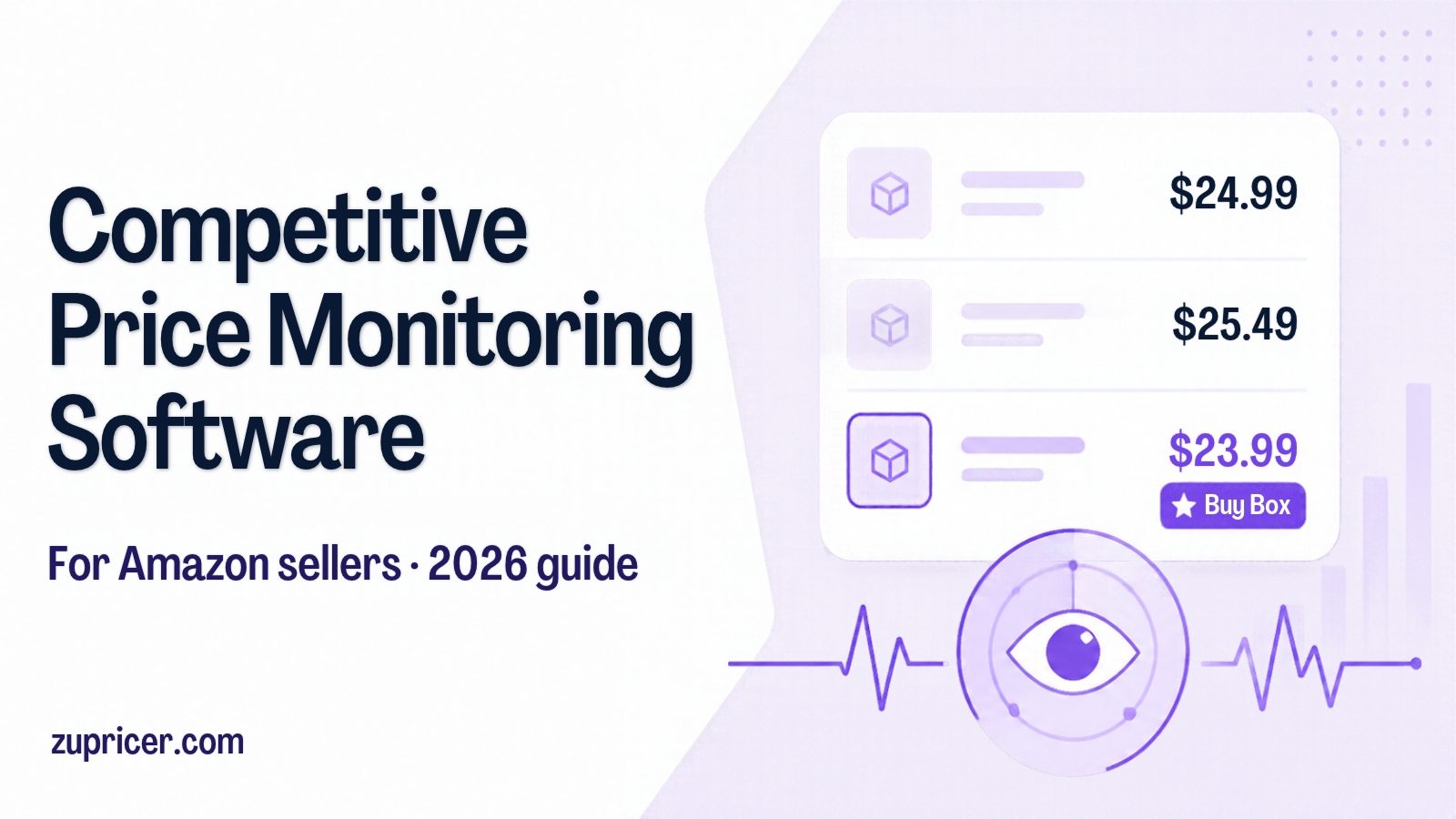
Quick answer: Competitive price monitoring software tracks what competitors charge and alerts you — or reprices for you — when the market moves. Most tools on “best competitive pricing software” lists track retailer websites. Amazon sellers need something different: offer-level data on the same listing (who holds the Featured Offer, FBA or FBM, shipping, stock) and the ability to react within your profit limits. For Amazon-only sellers, a tool that combines monitoring with real-time repricing — such as Zupricer, from $79/month with every feature included — usually replaces both a tracker and a separate repricer.
Key takeaways
- Multichannel monitoring tools watch other websites; Amazon competition happens inside one listing, so you need offer-level data.
- Amazon already shows useful signals for free: Featured Offer status, Pricing Health and the competitive external price.
- A price tracker tells you what changed. A repricer acts on it. Most Amazon sellers eventually need both — ideally in one tool.
- Monitoring without price floors leads to price wars. Always pair it with fee-aware minimum prices.
What competitive price monitoring means on Amazon
On a retail website, “competitors” are other stores selling similar products at different URLs. On Amazon, your competitors usually sell the same product on the same detail page. Amazon groups every offer for a product on one page, and the offer shown with the Add to Cart and Buy Now buttons is the Featured Offer (the “Buy Box”) — see our Amazon Buy Box guide for how it is chosen.
That changes what you need to watch:
- Featured Offer price and holder — who is winning right now, and at what price.
- Number and type of offers — FBA vs. FBM, Prime, seller ratings.
- Landed price — item price plus shipping.
- Stock changes — when a competitor runs out, you can often raise your price.
- Prices outside Amazon — Amazon compares your offer with major external retailers.
Generic tools that crawl websites rarely capture this offer-level picture. That’s why Amazon sellers typically rely on tools that read Amazon’s own data feeds.
Price tracker vs. repricer: what’s the difference?
| Price tracker | Repricer with monitoring | |
|---|---|---|
| What it does | Records competitor prices, price history and sales rank; sends alerts | Watches competitors and Buy Box changes, then updates your price within your limits |
| Who acts | You, manually in Seller Central | The software, 24/7 |
| Best for | Product research, sourcing, trend analysis | Day-to-day competition on shared listings |
| Examples | Keepa, Helium 10, Jungle Scout | Zupricer, Seller Snap, Aura, BQool |
If you only research products, a tracker is enough. If you compete for the Buy Box every day, monitoring is only useful when something acts on it quickly — which is what a repricer does. See our comparison of the best Amazon repricers.
What Amazon already shows you (for free)
Before paying for any tool, use the signals Amazon provides in Seller Central:
- Featured Offer status: under Manage All Inventory, you can see whether your offer is eligible and whether it holds the Featured Offer.
- Pricing Health: in the Pricing menu. Its Inactive Offers view lists offers deactivated for potential pricing errors, and Pricing Opportunities shows offers that aren’t eligible for the Featured Offer plus eligible offers priced within 5% of the Featured Offer price.
- Competitive external price: the lowest price for the item at major retailers outside Amazon. Your item price plus shipping should be at or below it to be considered competitive.
- Automate Pricing: Amazon’s free rule-based repricer (included with the Professional selling plan). It requires a minimum price and offers rules such as matching the Featured Offer, the lowest price or the competitive external price.
Amazon’s guidance is explicit that pricing at or below the lowest price from major retailers outside Amazon, staying in stock and keeping a low order defect rate all help your Featured Offer chances (Amazon pricing strategies, Automate Pricing rules).
2026 change to watch: Amazon announced on its seller forums that it is removing separate seller-eligibility requirements for the Featured Offer from July 2026, with the rollout completing by the end of 2026. Price, delivery speed and seller performance still decide which offer is featured — so more offers will compete on the same listing, and monitoring matters more.
How Amazon competitor monitoring works
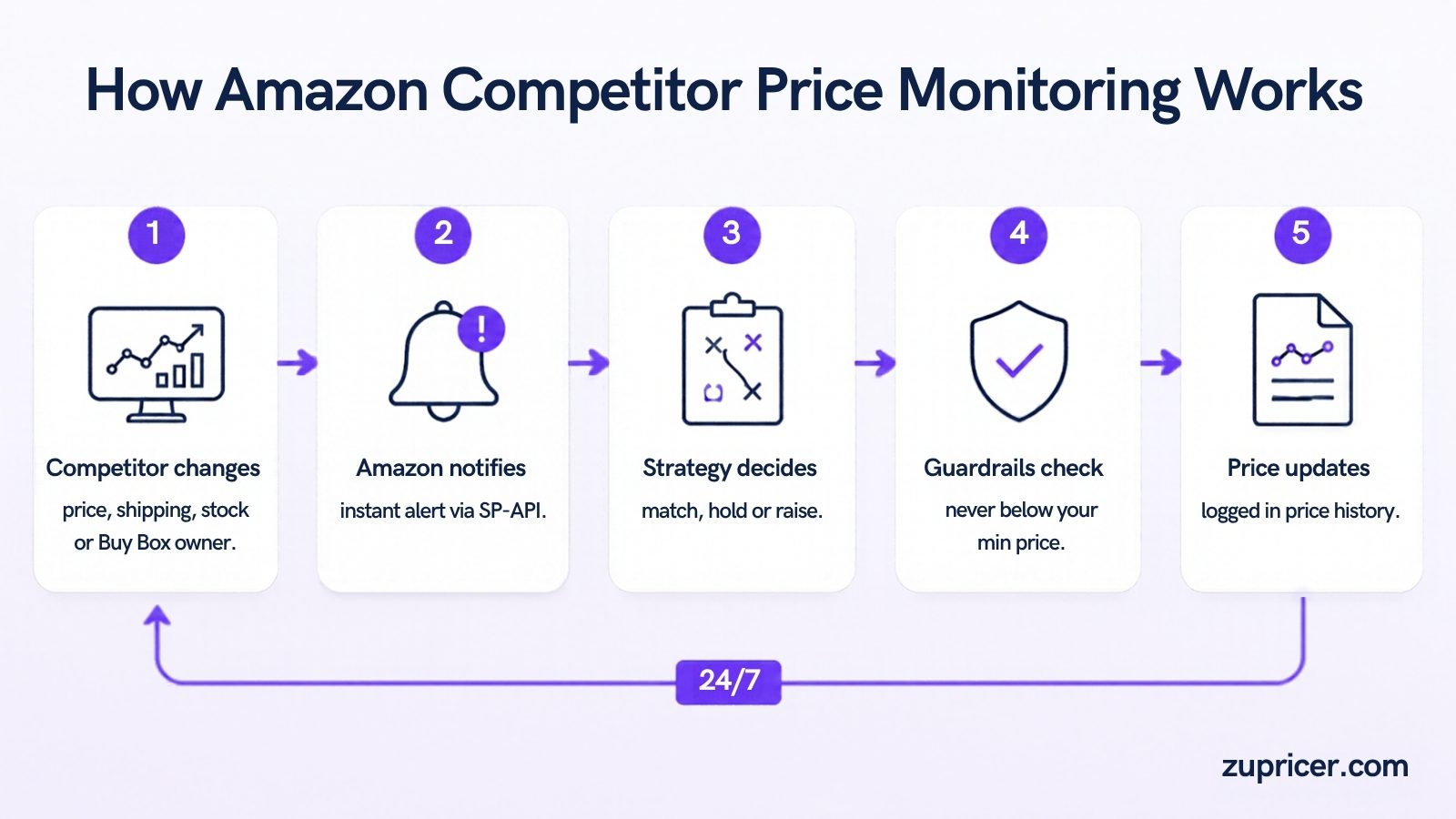
- A competitor changes something — price, shipping, stock or Featured Offer ownership.
- Amazon sends a notification to connected tools through its Selling Partner API (SP-API). Tools that rely on scraping see the change later, if at all.
- Your strategy decides the response — match, hold, raise or ignore — based on Buy Box ownership, fulfillment method, seller rating and competitor count.
- Guardrails check the result against your minimum and maximum price, so you never follow a competitor below your floor.
- Your price updates and the change is logged in your price history, so you can see what triggered it and what happened next.
This loop is how Zupricer works: real-time reaction through SP-API, Buy Box strategies, min/max and minimum-margin guardrails, and a full price-change history.
What to monitor: a practical checklist
- Featured Offer price, holder and how often it rotates on your key listings
- Number of competing offers and how many are FBA vs. FBM
- Competitors going out of stock (your chance to raise prices)
- Your own Buy Box share by SKU, week over week
- Listings stuck at their minimum price — a sign of a price war or a floor that’s too high
- Pricing Health alerts and the competitive external price
For a step-by-step setup, see how to track competitor prices automatically.
Competitive price monitoring tools for Amazon sellers compared
| Tool | Type | Amazon data | Acts on changes | Starting price* | Trial |
|---|---|---|---|---|---|
| Zupricer | Monitoring + real-time repricing | Offer-level via SP-API | Yes, within min/max guardrails | $79/mo, every feature | 14 days |
| Amazon Automate Pricing | Basic rule-based repricing | Native | Yes, simple rules | Free with Professional plan | — |
| Seller Snap | Monitoring + AI repricing | Offer-level | Yes | $100/mo (annual); $250 monthly | 15 days |
| Aura | AI repricing | Offer-level | Yes | $37/mo (annual) | 14 days |
| BQool | Repricing + competitor analysis | Offer-level | Yes | $25/mo by listings | 14 days |
| Helium 10 | Research & market tracking | Product and market data | No (alerts/insights) | $129/mo (Platinum) | Limited free plan |
| Jungle Scout | Research & competitive insights | Product and market data | No | See vendor | 7-day money-back |
| Keepa | Price & Buy Box history tracker | Historical price, Buy Box and rank data | No (alerts) | See vendor | Free tier |
| Prisync | Multichannel website monitoring | Marketplace tracking on higher plans | Dynamic pricing on higher plans | $99/mo (100 products) | 14 days |
| Intelligence Node | Enterprise retail intelligence | Amazon, Walmart, Target | Optional | From ~$5,000/mo | Demo |
*Entry prices as shown on each vendor’s website on November 12, 2026, where published. Prices change; confirm on the vendor’s site.
Which type of tool do you need?
- Research trackers (Keepa, Helium 10, Jungle Scout) — for sourcing and product research. They tell you what happened; they don’t change your prices.
- Monitoring + repricing (Zupricer, Seller Snap, Aura, BQool) — for sellers competing on shared listings every day. They watch and act.
- Enterprise multichannel (Intelligence Node, Prisync and similar) — for brands and retailers tracking many websites and channels, usually with larger budgets.
What it really costs
Amazon sellers often end up paying for a research tracker and a repricer. If your main goal is to stay competitive on your own listings, a repricer with built-in monitoring covers both jobs. Zupricer’s plans include monitoring, real-time repricing, Buy Box strategies, guardrails and analytics on every tier:
| Plan | Monthly revenue | SKUs | Price |
|---|---|---|---|
| Starter | Up to $20,000 | Up to 1,000 | $79/month |
| Growth | Up to $100,000 | Up to 10,000 | $129/month |
| Scale | Unlimited | Unlimited | $199/month |
By comparison, enterprise monitoring platforms are typically quoted in the thousands per month, and advanced market-tracking add-ons in research suites can cost several hundred dollars a month on their own.
Turning monitoring into profit: guardrails first
Watching competitors without limits is how price wars start. Before you automate anything:
- Calculate a floor per SKU (or use our free minimum price calculator). Example: landed cost $12.00, referral fee 15%, FBA fee $5.20, target profit $3.00. Minimum price = (12.00 + 5.20 + 3.00) ÷ 0.85 = $23.76.
- Set a ceiling. Keep it within a sensible range of recent prices — Amazon’s fair pricing policy prohibits prices significantly higher than recent prices on or off Amazon.
- Decide when to hold, not follow. If you’re the FBA seller and competitors are FBM, you can often win at a slightly higher price.
- Raise prices when competition disappears. Stock-outs are the most profitable signal a monitoring tool can catch.
- Match the strategy to the situation — see the Amazon pricing strategy decision matrix.
More on the dangers of chasing the lowest price in why undercutting competitors kills your profits.
How often should you check competitor prices?
On competitive Buy Box listings, prices can change many times a day, so manual checks can’t keep up — use event-driven monitoring that reacts as soon as Amazon reports a change. For low-competition or sole-seller listings, a daily review of Buy Box share and Pricing Health is usually enough. Details in how often you should reprice on Amazon.
How we put this guide together
We reviewed the leading guides ranking for “competitive pricing software” and “Amazon competitor price tracking”, checked each tool’s type, Amazon coverage, starting price and trial on the vendor’s own website on November 12, 2026, and used Amazon’s official seller resources for Featured Offer, Pricing Health and Automate Pricing details. Where a vendor doesn’t publish a price, we say so.
Frequently asked questions
What is the best competitive price monitoring software for Amazon sellers?
For research, trackers like Keepa or Helium 10 are popular. For day-to-day competition on your own listings, a tool that monitors offer-level changes and reprices within your limits is more useful — Zupricer does both from $79/month.
What’s the difference between a price tracker and a repricer?
A tracker records and reports competitor prices; you decide what to do. A repricer watches the same signals and updates your price automatically within your minimum and maximum.
Can I see competitor prices in Seller Central?
Partly. Manage All Inventory shows Featured Offer status, the lowest price in the Amazon store and the competitive external price, and Pricing Health flags offers that need attention. It doesn’t give you a continuous competitor history or automatic reactions beyond Automate Pricing’s simple rules.
Is Amazon’s Automate Pricing enough?
For a handful of listings with simple rules, it can be. Sellers usually move to a dedicated tool when they need cost-based floors, Buy Box strategies, bulk control and a full price history.
Does the lowest price always win the Buy Box?
No. Amazon also weighs delivery speed and seller performance, so an FBA offer can win at a higher price than a cheaper FBM offer.
How much does competitor price monitoring software cost?
From free (Amazon’s tools, Keepa’s free tier) to tens of dollars a month for Amazon repricers, $99+ for multichannel monitoring and thousands a month for enterprise platforms. Zupricer is $79–$199/month with every feature included.
Why did my offer lose Featured Offer eligibility for pricing?
Common reasons include a price well above recent prices or above the competitive external price. Check Pricing Health in Seller Central and keep a sensible maximum price in your repricer.
Is it legal to monitor competitor prices?
Watching publicly displayed prices is a normal business practice. On Amazon, the safest route is a tool that uses Amazon’s official Selling Partner API rather than scraping.
Do I need multichannel monitoring if I only sell on Amazon?
Usually not. Amazon-only sellers get more value from offer-level Amazon data and fast repricing than from tracking other websites — although watching major external retailers matters for the competitive external price.
How do I avoid a price war with other repricers?
Set fee-aware floors, avoid “always undercut” rules, compete on Buy Box factors beyond price and raise prices when competitors go out of stock.
Start monitoring and repricing in one place
Start a 14-day free trial of Zupricer, connect your Amazon account, set your price floors and see how often your competitors really move.