Disclosure: this guide is published by Zupricer, which makes Amazon repricing software. Amazon tool and fee details come from Amazon’s seller resources; third-party prices were checked on vendor websites on November 13, 2026.
Quick answer: Amazon sellers use pricing tools for four jobs: calculating a profitable price, monitoring competitors, repricing automatically and analyzing profit. Amazon gives you free tools for most of these — the Revenue Calculator, Fee Preview report, Automate Pricing and Pricing Health. Third-party tools add speed, cost-based floors and catalog-wide control. Start with the free calculator below to find your minimum price, then pick tools by the job you need done.
Free Amazon minimum price calculator
Enter your costs and fees to see the lowest price you can accept on a SKU and still reach your profit target. The calculator handles the details most spreadsheets miss: the referral fee is charged on the total price (including buyer-paid shipping), the $0.30 per-item minimum, digital services fees and the 2026 FBA fuel surcharge.
Amazon minimum price calculator
Find the lowest price you can accept on one SKU and still hit your profit target. Figures are estimates — confirm fees in Amazon's Revenue Calculator or Fee Preview report.
Show the formula
Minimum price = (landed cost + FBA fee + other costs + $ profit) ÷ (1 − referral % × (1 + DSF %)) − buyer-paid shipping
With a % margin target: (landed cost + FBA fee + other costs − shipping × (1 − fee %)) ÷ (1 − fee % − margin %). If the referral fee would be below Amazon's per-item minimum ($0.30 in most categories), the minimum is used instead. Sales tax is collected separately in the US; in the UK/EU, enter prices excluding VAT.
How to use your result
- Set it as your floor. Any repricer — Amazon’s Automate Pricing included — needs a minimum price. Use this figure (or slightly above it) so automation never sells at a loss.
- Re-check when fees change. Amazon updates fees periodically; confirm your FBA fee in the Revenue Calculator or Fee Preview report.
- Repeat per SKU. Costs and fees differ by product, so floors should too. For a large catalog, cost-based rules in a repricer apply this logic to every SKU automatically.
Worked example
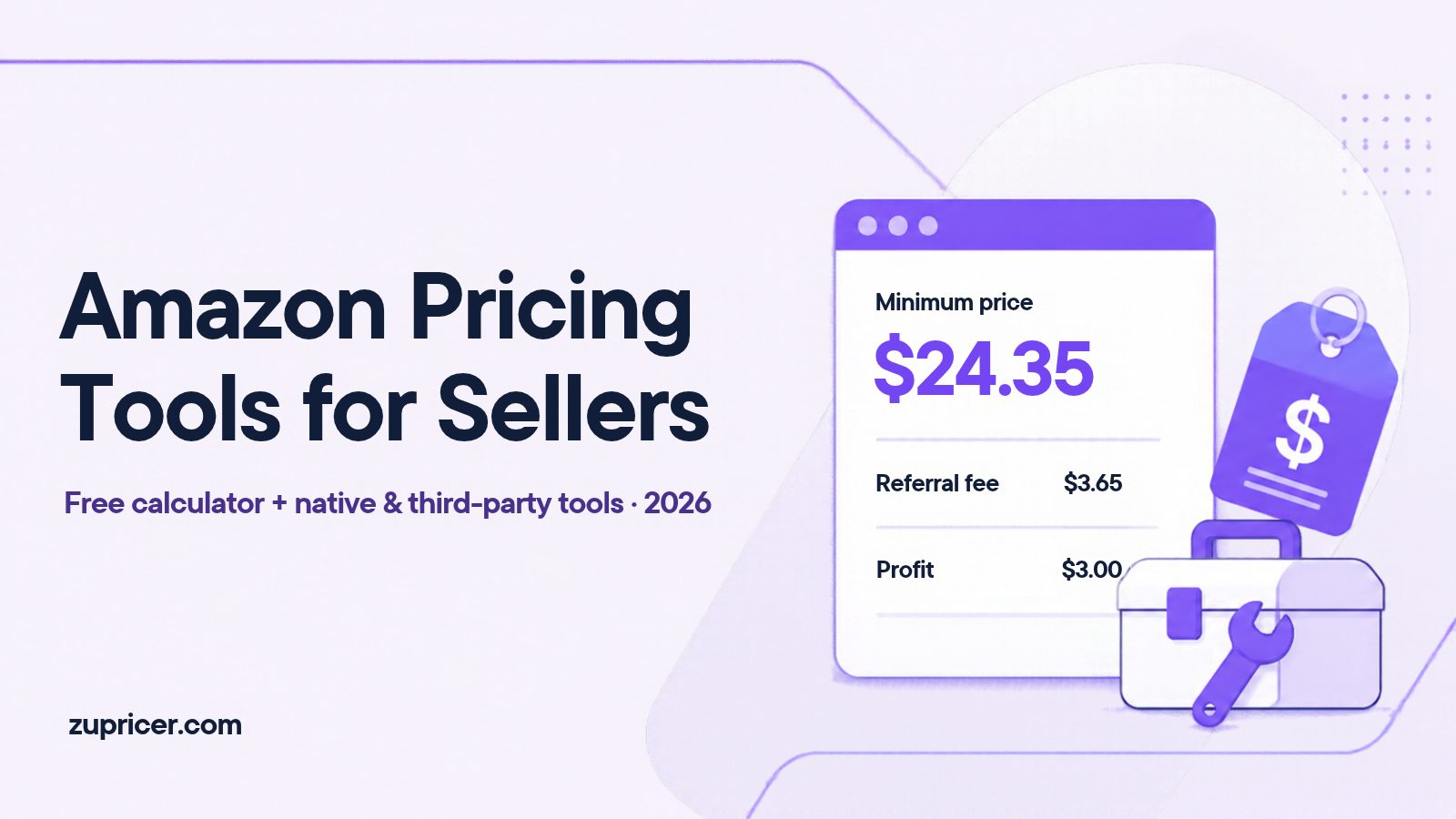
Landed cost $12.00, FBA fee $5.20, other costs $0.50, referral fee 15%, target profit $3.00 per unit: (12.00 + 5.20 + 0.50 + 3.00) ÷ (1 − 0.15) = $24.35. At that price the referral fee is $3.65 and you keep $3.00 per unit. Notice that subtracting 15% from a cost-plus price would give the wrong answer — percentage fees grow with the price, so you divide.
2026 fee changes to factor in
- January 15, 2026: Amazon’s annual US fee update took effect. Amazon said FBA fees rose by about $0.08 per unit on average, with no new FBA fee types (Amazon announcement).
- April 17, 2026: a 3.5% fuel and logistics surcharge on FBA fulfillment fees in the US and Canada was widely reported. Tick the surcharge box in the calculator if it applies to you, and confirm the current amount in Seller Central.
Last reviewed: November 13, 2026.
Pricing tools inside Seller Central (free)
| Tool | What it does | Where to find it |
|---|---|---|
| Revenue Calculator | Estimates fees, costs and profit for FBA vs. fulfilling yourself, using 2026 rates | Public tool linked from sell.amazon.com |
| Estimated fees per unit | Fee estimate for each of your listings | Inventory → Manage All Inventory |
| Fee Preview report | Downloadable preview of selling and FBA fees, including upcoming changes | Reports → Fulfillment → Payments → Fee Preview |
| Automate Pricing | Free rule-based repricing (Professional plan) | Pricing → Automate Pricing |
| Pricing Health | Flags offers that can’t be the Featured Offer and possible pricing errors | Pricing → Pricing Health |
| Profit Analytics | Shows how fee changes affect each product’s profit (named in Amazon’s 2026 fee update) | Seller Central dashboards |
Does Amazon have a free repricer?
Yes. Automate Pricing is free with the Professional selling plan ($39.99/month). You set a minimum price (required) and optionally a maximum, then choose a rule: compete with the Featured Offer, the lowest price or the lowest external price; adjust by sales volume; or use business rules for Amazon Business customers, including quantity discounts. Rules can be assigned in bulk by file upload, and Amazon notes the tool doesn’t guarantee you’ll become the Featured Offer (Automate Pricing).
It’s a sensible starting point for a small catalog. Sellers usually move to a dedicated repricer when they need floors calculated from real costs, Buy Box-specific strategies, faster reactions and a full price history. Our Amazon repricer comparison covers when that switch makes sense.
The four jobs pricing tools do
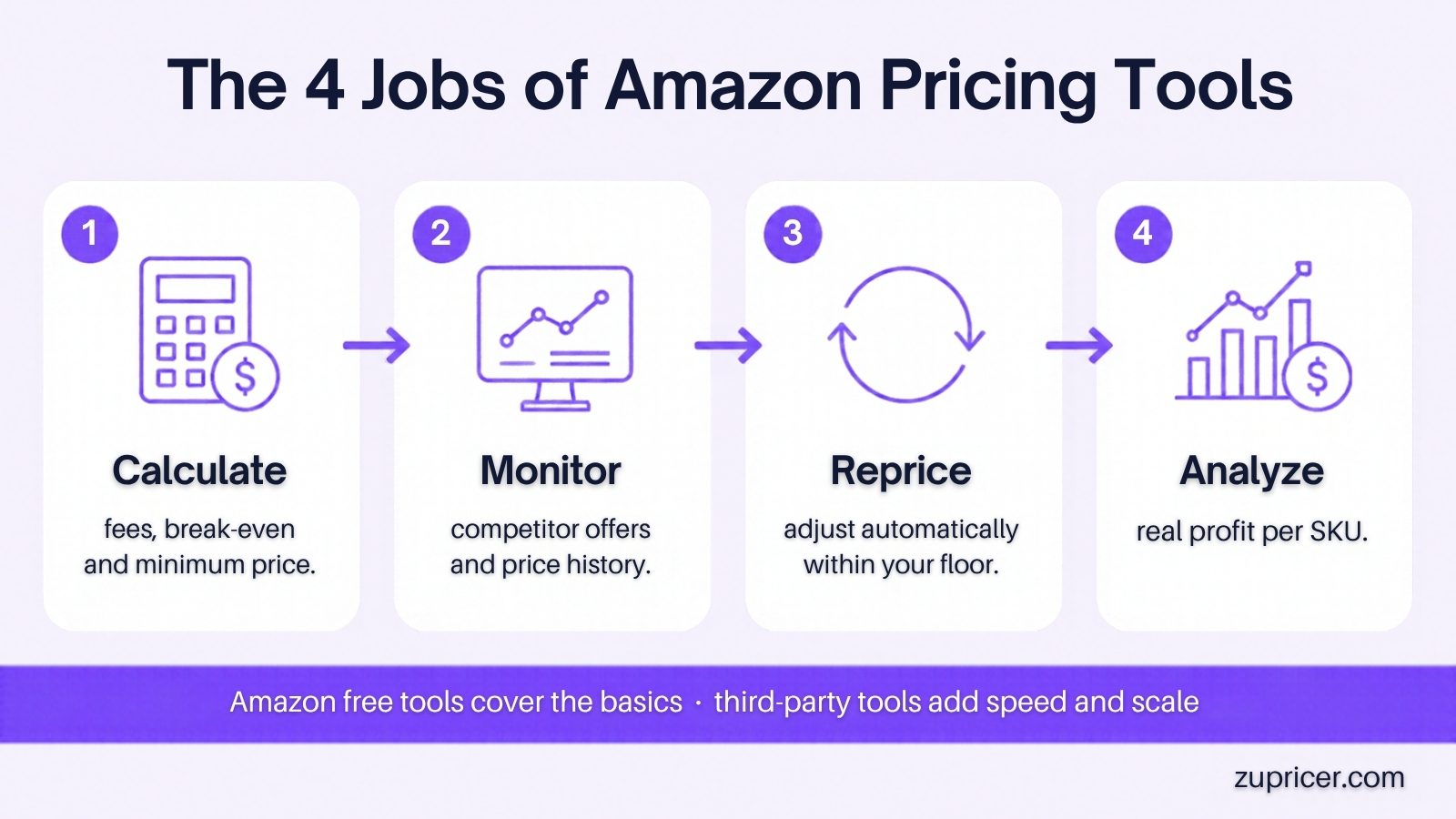
1. Calculate
Work out fees, break-even and minimum prices before you list or reprice. Tools: Amazon’s Revenue Calculator, the calculator above, sourcing tools such as SellerAmp, and profit dashboards.
2. Monitor
Track competitor offers, the Featured Offer and price history. Tools range from Keepa’s price history to offer-level monitoring inside repricers. Full breakdown in competitive price monitoring software for Amazon.
3. Reprice
Change prices automatically within your floor and ceiling as competitors and the Buy Box move. Options run from Amazon’s free Automate Pricing to dedicated repricers. Learn what decides the Featured Offer in our Amazon Buy Box guide.
4. Analyze
See real profit per SKU after all fees, refunds and ads, and spot products whose margins are slipping. Tools: Sellerboard, Helium 10’s profit tools, Amazon’s Profit Analytics.
Third-party pricing tools by type
| Job | Example | Starting price* | Free trial |
|---|---|---|---|
| Reprice (Amazon-only, every feature on every plan) | Zupricer | $79/mo | 14 days |
| Reprice | Aura | From $37/mo (see billing terms) | 14 days |
| Reprice | Seller Snap | $100/mo, billed annually | 15 days |
| Reprice | BQool | See vendor | Yes |
| Calculate (sourcing) | SellerAmp SAS | $19.95/mo | 14 days |
| Analyze (profit dashboard) | Sellerboard | $19/mo ($15/mo annually) | 1 month |
| Research suite with profit tools | Helium 10 Platinum | $129/mo ($99/mo annually) | Limited free plan |
| Monitor (price history) | Keepa | Free basic tier; paid plans available | — |
*As shown on each vendor’s website on November 13, 2026, where published. Prices change; confirm before buying.
Which pricing tools do you need?
| Your situation | Start with | Add when |
|---|---|---|
| New seller, under ~50 SKUs | Revenue Calculator + Automate Pricing | You compete with several sellers on the same listings |
| Wholesale or reseller on shared listings | A repricer with cost-based floors + real-time reactions | You need profit analytics across hundreds of SKUs |
| Online / retail arbitrage | Sourcing calculator + repricer with bulk cost import | Costs change often and floors need constant updates |
| Private label, sole seller | Revenue Calculator + Pricing Health + profit dashboard | Other sellers join your listing |
Fulfillment method changes which costs your floor must cover — compare them in FBA vs FBM in 2026.
Tools only work with a clear plan — use our Amazon pricing strategy decision matrix to pick one.
Once floors are set, the rules you run on top of them matter most — see 10 repricing rule recipes and the order to evaluate them in.
Where Zupricer fits
Zupricer covers the reprice job for Amazon-only sellers and uses the same logic as the calculator above across your whole catalog: cost-based strategies and bulk cost imports set minimum-margin guardrails for every SKU, and real-time repricing through Amazon’s SP-API reacts to competitor and Buy Box changes inside those limits. All plans ($79, $129, $199/month) include every feature; they differ only by monthly revenue and SKU limits. If you have a handful of SKUs and few competitors, Amazon’s free Automate Pricing may be all you need for now.
Common pricing-tool mistakes
- Using a single minimum for every SKU instead of floors based on each product’s cost and fees.
- Subtracting the referral fee from a cost-plus price instead of dividing — floors end up too low.
- Forgetting buyer-paid shipping in the referral-fee base on FBM orders.
- Not updating floors after fee changes such as the January 2026 update.
- Letting automation undercut by default — see why undercutting kills profits.
Related: how to set minimum and maximum price rules and break-even pricing explained.
Frequently asked questions
Does Amazon have a free pricing tool?
Yes. Automate Pricing is free with the Professional plan, and the Revenue Calculator, Fee Preview report and Pricing Health are free in Seller Central.
How do I calculate my minimum price on Amazon?
Add landed cost, FBA fee, other per-unit costs and your target profit, then divide by (1 − referral fee %). Use the calculator above for the details.
What’s the difference between break-even price and minimum price?
Break-even covers costs and fees with zero profit. Your minimum price adds your target profit, so it’s the lowest price you’re willing to accept.
What percentage does Amazon take per sale?
The referral fee is a percentage of the total price — commonly 15%, ranging roughly from 3% to 45% by category — or a per-item minimum (usually $0.30), whichever is greater. FBA fees and the monthly plan fee are extra.
Is the referral fee charged on shipping?
Yes. Amazon calculates it on the total sales price, including shipping and gift wrap charged to the buyer.
Why does Automate Pricing require a minimum price?
To stop automatic rules from pushing your price below what you can afford. It’s also why calculating a cost-based floor first matters.
Do automated price changes count toward Amazon’s price-update limit?
Amazon says price changes made by Automate Pricing don’t count toward the daily limit.
How much did FBA fees change in 2026?
Amazon’s January 15, 2026 update raised FBA fees by about $0.08 per unit on average; a 3.5% fuel and logistics surcharge on FBA fees in the US and Canada was widely reported from April 2026.
Do I need a repricer if I’m the only seller?
Less so. Focus on staying below competing off-Amazon prices, watching Pricing Health and protecting margin; add a repricer when other sellers join your listing.
Which Amazon pricing tool is best?
It depends on the job: Amazon’s free tools for basics, a sourcing calculator for buying decisions, a profit dashboard for analysis and a repricer like Zupricer when you compete on shared listings.
Put your floors to work
Start a 14-day free trial of Zupricer, import your costs and let real-time repricing compete for you — never below your minimum price.